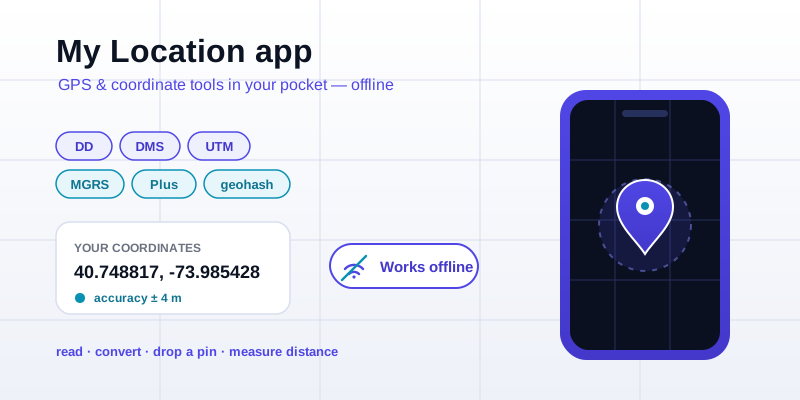
If you spend any time on this site, you know the routine: read your position, check the accuracy figure, convert a coordinate into another format, drop a pin and send it to someone. My Location is the Android app that puts that same coordinate workflow in your pocket — and keeps it working with no signal at all. Less a navigation app than a coordinate utility belt: the same precise tools you reach for on locations.app, available offline on the device that has the GPS chip in it.
Here's what the app does well, who it's for, and how it lines up with the web tools you already use. It's a free download:
Get My Location free on Google Play →
Read your latitude and longitude — with the accuracy number that matters
The first thing the app does is the thing people search for most: what are my coordinates, right now? It reads your latitude and longitude straight from the device's GNSS hardware and shows them with enough decimal places to keep meter-level detail — typically five or six, which is the everyday sweet spot for a phone.
What sets a coordinate tool apart from a maps app is that it doesn't hide the uncertainty. Alongside your position you get the accuracy radius: the "give or take so many meters" figure your phone reports for every fix. Plus-or-minus 4 meters means something very different from plus-or-minus 40, and when you're recording a spot for a survey or a meeting point, that number is the difference between a usable coordinate and a vague guess. The app surfaces it so you can decide whether to trust the fix or wait a few seconds.
Because the phone is the sensor, you skip the browser's permission dance and the laptop's reliance on Wi-Fi positioning. The chip sees the satellites directly, so the reading you get standing in a field is the real one — not your home router's last-known guess.
Convert between every coordinate format, offline
Coordinates travel in a lot of costumes, and the app speaks all of them. Once it has a position — yours, or one you type in — it converts on the fly between:
- Decimal degrees (DD) — the plain
40.748817, -73.985428form every map's search box understands. - Degrees, minutes, seconds (DMS) — the chart- and aviation-friendly
40°44'55.7"Nnotation. - UTM — easting and northing in meters, the language of topographic maps and surveying.
- MGRS — the military grid reference that layers a tidy alphanumeric square on top of UTM.
- Plus Codes — Google's short, free "address" for any spot on Earth, even one with no street.
- Geohash — the compact Base32 string where nearby places share a leading prefix.
This is exactly what the web coordinate converter does, but the app version has one decisive advantage: it runs entirely on the device. The conversion math is pure arithmetic, with no lookup server, so it works at the bottom of a canyon, in a basement, or on a flight in airplane mode. If a colleague hands you an MGRS grid and you need it as decimal degrees to paste into a map later, you can do that translation right where you're standing.
Drop a pin and share the exact spot
Reading a coordinate is only half the job; the other half is marking a place and getting it to someone else. The app lets you drop a pin on your current location — or on any point — and then copy or share it as a clean coordinate pair, a link, or whichever format the recipient can actually use.
The discipline that makes shared pins reliable on the web drop-a-pin tool carries straight over: place the marker on the precise point rather than the nearest building label, keep full precision (five or six decimals, both signs intact), and add a human sanity line ("gravel pull-off on the right") so a transposed number gets caught before someone drives to the wrong county. The app makes all of that a couple of taps, and because the coordinate is generated locally, you can stash a spot now and share it later when the signal comes back.
Measure distance and find the midpoint between two points
Two coordinate pairs in, one answer out. The app does the same great-circle math you'd run on the distance between coordinates tool — the Haversine calculation that respects the curve of the Earth instead of pretending the world is flat — to tell you the straight-line distance between any two points in kilometers or miles.
It also finds the geographic midpoint, the same job as the web midpoint calculator: hand it two locations and it returns the fair point between them, useful when two people coming from different directions need somewhere to meet. As with everything else, the arithmetic is local, so you get the answer with or without a connection — handy in the backcountry situations where "let's meet halfway" actually comes up.
Why "offline" is the whole point
The offline angle is what makes a pocket coordinate tool different from a web page. The places where you most need your exact position — a remote job site, a foreign city with no data plan — are exactly where a browser-based tool fails. Coordinate math doesn't need the internet; only map tiles do. By keeping the reading and the conversions on the device, My Location stays useful in the dead zones where it matters most. Capture the numbers offline now, reconnect to share or plot them later.
How it fits with the web tools you already use
None of this replaces locations.app; it complements it. The website is the place to work through a coordinate at a desk, read the explainers, and convert formats with a full keyboard. The app is the field companion: where you capture the position in the first place, with the real GPS chip and the accuracy figure, and do quick conversions and pin drops on the move. The two share the same math, so what you learn on one transfers to the other.
If your coordinate work happens out in the world more often than at a desk, the pocket version is the one to have on you:
Download My Location for Android →
And if you'd rather stay in the browser for now, start with what-are-my-coordinates to read your position, then convert it to any format — the same toolkit, just on a bigger screen.