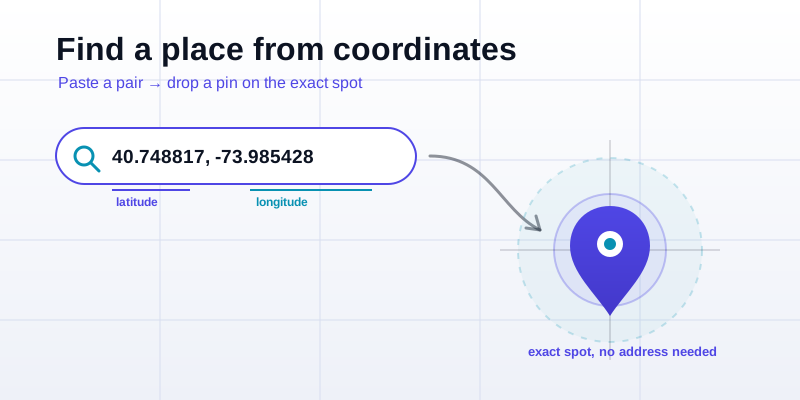
Someone texts you a place that has no name yet: a trailhead off the highway, the corner of a field where you're meeting. What they send is a pair of numbers — coordinates. Landing on that precise spot is usually a single paste-and-search, once you know the format map search expects. Here's the reverse of looking up your own position: take a coordinate pair someone gives you, drop a pin on the exact spot, and share it back so the next person lands in the same place.
The format map search actually wants
Nearly every map app — phone, desktop, in-car — accepts the same plain format in its search box: decimal degrees, latitude first, longitude second, separated by a comma. It looks like this:
- 40.748817, -73.985428 (the Empire State Building)
- 48.858370, 2.294481 (the Eiffel Tower)
- -33.856784, 151.215297 (the Sydney Opera House)
Three rules make this work every time. Latitude comes first: the north–south number, between -90 and 90. Longitude comes second: the east–west number, between -180 and 180. And the sign carries the hemisphere: negative latitude is south of the equator, negative longitude is west of the Greenwich meridian. Get the order backwards and you'll land somewhere absurd, often the ocean, so the first thing to try is swapping the two numbers.
You don't usually need the degree symbol, the letters N/S/E/W, or any extra punctuation. A clean comma between two decimal numbers is the universal key. If you only have a fancier format — degrees-minutes-seconds, UTM, a Plus Code — convert it to decimal degrees first with the coordinate converter, then paste the result.
Step by step: paste coordinates and land on the spot
Here's the whole flow, start to finish:
- Copy the pair exactly as you received it, including the minus signs. If it arrived as a screenshot, type it carefully — a dropped minus sign is the most common mistake.
- Open a map and click the search box. The same box you'd use to search a street address also accepts raw coordinates.
- Paste the pair in latitude, longitude order with a comma between them, for example 40.748817, -73.985428.
- Search. The map recenters and drops a marker on the exact point — no street address required.
- Sanity-check the result. Is it in the right country, the right city, on land where it should be? If it's wildly off, suspect a swapped lat/long or a missing sign before you doubt the coordinates themselves.
To do the whole thing in one place — paste a pair, see the pin, copy a clean shareable link back — the drop a pin tool is built for exactly this, and shows the location in several formats so you can hand the recipient whichever they prefer.
Why too few decimal places sends you to the wrong place
A coordinate is only as precise as the digits behind the decimal point, and people routinely round them off without realizing how much ground they're throwing away. Each decimal place is worth roughly ten times more precision than the one before it. Near the equator, the latitude digits land approximately like this:
| Decimal places | Example | Roughly resolves to |
|---|---|---|
| 2 places | 40.74 | About 1 km — a whole neighborhood |
| 3 places | 40.748 | About 110 m — a city block |
| 4 places | 40.7488 | About 11 m — a building |
| 5 places | 40.74881 | About 1 m — a doorway |
| 6 places | 40.748817 | About 0.1 m — a single step |
This is why coordinates with fewer than about four decimal places often "fail" in practice. They don't error out; they just land you somewhere vague. Two decimals can put you a kilometer from the trailhead; three can leave you on the wrong block from the front door. For anything where you have to walk up to a specific point — a parcel drop, a meeting spot — aim for five or six decimal places. That keeps you within a meter or two, about as good as a phone's GPS gets.
The flip side is also true: don't pad a loose reading with fake digits. If the position was only good to 20 meters when it was captured, writing eight decimals doesn't make it more accurate — it just looks more confident than it is. Match the digits to the real precision. When you capture a spot yourself, the what-are-my-coordinates tool already gives you enough decimal places to keep meter-level detail.
Other formats you might be handed (and how to use them)
Decimal degrees is the lingua franca of map search, but coordinates travel in other costumes too. Here's how to recognize and handle the common ones:
- Degrees, minutes, seconds (DMS) — like 40°44'55.7"N 73°59'07.5"W. Older, aviation- and chart-friendly, but most search boxes choke on the symbols. Run it through the coordinate converter to get clean decimal degrees, then search.
- Degrees and decimal minutes (DDM) — like 40° 44.928' N, common in marine and aviation use. Same advice: convert to decimal degrees first.
- UTM — like 18N 585628 4511322, all in meters, common on topographic maps and in surveying. See what UTM coordinates are, or convert with lat-long to UTM.
- MGRS — like 18T WL 85628 11322, the military grid. Convert via lat-long to MGRS.
- Plus Code — like 87G8P27Q+MF, a short free "address" for any spot. See what Plus Codes are, or generate and decode them with the Plus Code tool.
If you're ever unsure which format you've been handed, the giveaway is the punctuation: commas and a decimal point mean decimal degrees; degree and quote symbols mean DMS or DDM; a mix of letters and big whole numbers means UTM or MGRS; a code with a "+" in it is a Plus Code. Our coordinate formats explained guide walks through each one side by side.
Dropping and sharing a pin so the other person lands where you did
Finding a place from coordinates is half the job; sending one so the recipient lands on your exact spot is the other half. A few habits make shared pins reliable:
- Drop the pin on the precise point, not the nearest building label. The whole reason to use coordinates is that the spot has no address, so place the marker on the gate, the door, the boulder, wherever the action actually is.
- Copy the coordinates with full precision. Five or six decimals, both signs intact. The drop a pin tool lets you place a marker and copy back a clean decimal-degree pair plus a shareable link.
- Send the format the recipient can use. A plain "lat, long" pair works in any map's search box. If you're not sure what app they'll open, a decimal-degree pair is the safest bet because every map understands it.
- Add a sanity line for humans. "Trailhead pin: 39.55012, -105.78451 — gravel pull-off on the right." The numbers do the precision; the sentence catches the case where they paste it backwards.
If the pin is a meeting point between two people coming from different directions, the midpoint calculator can find a fair spot between two coordinate pairs, and the distance between coordinates tool tells each person how far they have to travel to reach it.
When a coordinate search goes wrong
If the pin lands somewhere impossible, walk this short checklist before assuming the numbers are bad:
- Swapped order. Latitude first, longitude second. A latitude greater than 90 or less than -90 is the dead giveaway that the pair is reversed.
- Missing minus sign. Dropping the negative on a western longitude flips you to the opposite side of the planet. The Americas are almost always negative longitude; the southern hemisphere is negative latitude.
- Comma vs. period. In some regions a comma is the decimal mark. Make sure your decimal separator is a period and the comma is only between the two numbers.
- Too few digits. If it lands "roughly right but not quite," you probably need more decimal places — ask the sender for the full-precision version.
That's the whole skill: recognize the format, paste a comma-separated decimal-degree pair, keep five or six decimals, and check the result makes sense. Open drop a pin to paste a coordinate pair and land on the exact spot, or to place a marker and copy a clean, shareable pair to send back. To capture your own spot, use what-are-my-coordinates; to translate another format into something a map's search box accepts, reach for the coordinate converter.